
Even though the quality of smartphone cameras improves year after year, often the quality of the resulting images is not high.
This is due not only to the fact that the quality of photographic devices available in smartphones is undeniably lower than what we can find in modern cameras, but it is also the result of poor photographic technique.
Without wanting to enter the debate on whether photography with smartphones is “real” photography, or whether digital photography itself is “real” photography, let’s therefore see 12 tips on how to get the most out of smartphone cameras.

1. Light the subject well
Despite the high resolution of cellphone cameras, the actual size of the optical chips is very small compared to that of the photosensors available on cameras. This implies that the small size of individual photosites can collect a reduced amount of light.
For this reason, the better the subject is lit, the clearer the resulting image will be.
If possible, shoot outdoors or turn on all the lights when shooting indoors. However, keep in mind that artificial light affects the color cast in your shots and you might need to experiment with the white balance to fix it.
Some cameras are equipped with a flash or a built-in illuminator and this can be really useful to improve the lighting of your subject, even when shooting outdoors (in a way, use it as a fill flash). If your camera doesn’t have a flash or illuminator, you should avoid shooting in bright light conditions when your subjects are backlit.
2. Get closer to your subject
One of the most common mistakes when you’re too far away is that the subject ends up being a tiny, unrecognizable object in the distance. So try to fill the frame with your subject to avoid having to enlarge the image later by cropping (which further reduces quality).
That said, with some cell phones getting too close to the subject causes distortion and focusing problems (especially if the camera phone doesn’t have a macro or close-focus mode). If you use flash, read the tips on how to avoid subject glare.
3. Keep your phone steady
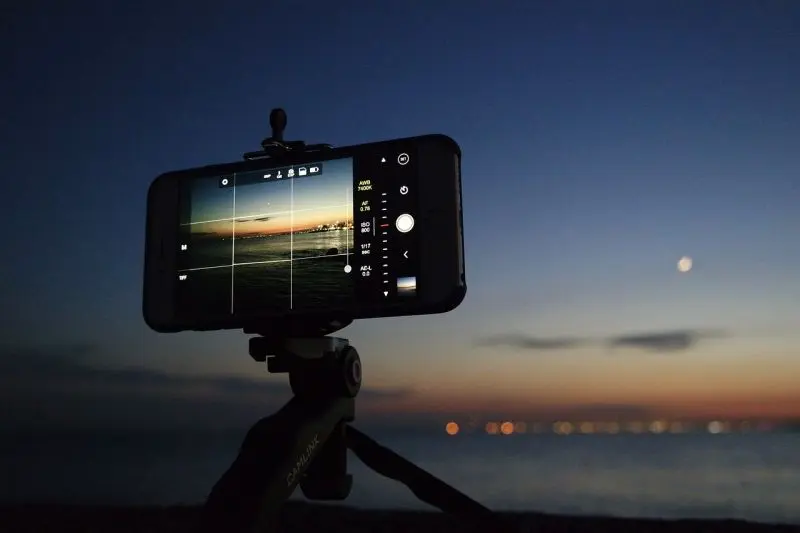
As with all digital photography, the steadier your smartphone is when shooting, the sharper the image will be. This is especially important in low light situations where the camera will select longer shutter speeds to compensate for the lack of light.
One trick is to rest the phone (or the hand holding it) against a solid object (like a tree, a wall, a ledge) when shooting.
Keep in mind that on many phones, the time between pressing the shutter and the camera actually taking the shot can be about a second. This means you need to hold the camera steady a little longer than you might expect.
4. Edit images afterwards
Although it can be fun to use the edits and effects built into the phone's camera, the editing of the images at a later time on the computer produces much higher quality images.
Shoot in color at high resolution to keep your options open on how to handle editing later. You can always convert it to black and white on your computer, but you can't make it color if you shoot in Black and White mode.
5. Don’t delete 'mistakes' immediately
Remember that on many phones the screen quality won’t be as good as your computer’s. So, if possible, keep your shots until you can get them onto your PC.
You might find that on a quality monitor the effect is different from what you see on the phone screen. You might also find that even 'mistakes' and blurry shots can be quite usable, in an abstract way.
6. Avoid using digital zoom
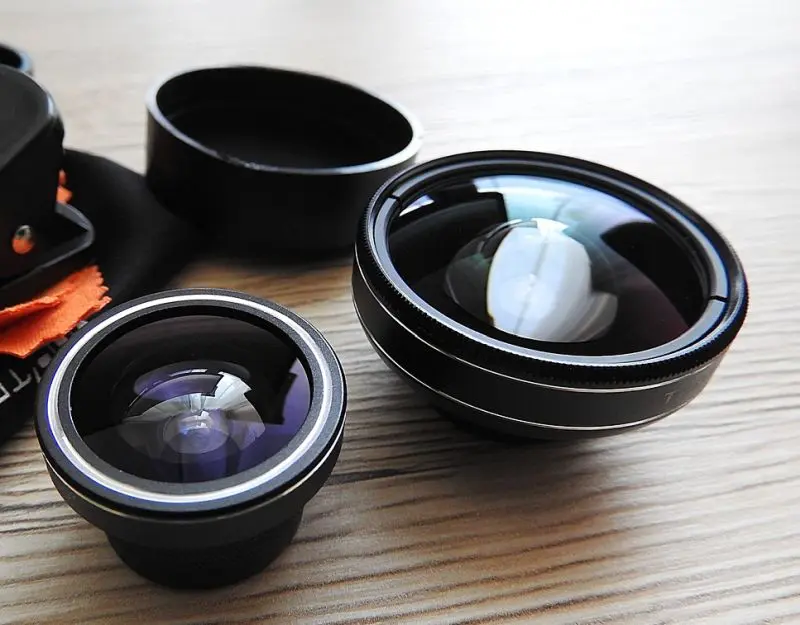
As tempting as it is to zoom in on the subject, if the zoom is a 'digital zoom', it will reduce the quality of the shot and you will get a more pixelated image. You can always edit your shot later using photo editing software on your computer.
Some new phones are starting to use "optical zooms" or you can use some zoom accessories on your current phone: these solutions are great to use because they enlarge the subject without enlarging the pixels.
7. Experiment with white balance
An increasing number of smartphones with cameras are equipped with adjustable white balance which allows you to change the color balance in images according to shooting conditions. Experiment with this feature to get an idea of the effect it has on your shots. Read your manual to find out how it works on your phone.
8. Shoot, shoot, shoot and experiment
The beauty of digital photography is the ability to take many images quickly and without cost. This means you can experiment with different modes and compositions, discarding later the images that do not satisfy you.
Camera phones are particularly suitable for experimenting with new angles and perspectives: shots from top to bottom, from above, close up, etc. And you will end up with interesting and fun shots.
9. Follow the rules of composition (and then break them)

Learn the basic rules of composition, such as rule of thirds (that is, not placing the subject exactly in the center of the frame).
Simple tips like this can bring your photos to life. Use the guidelines available in mobile phone photography apps as support.
But then also remember that the beauty of a smartphone camera is its ability to break all conventions; some of the best shots around break all the rules.

10. Keep the lens clean
One of the challenges of photographing with a smartphone is keep the lens clean. Phones spend a lot of time in pockets, bags, and are used in all kinds of weather and conditions.
As a result, they get dirty and can easily be damaged: fingerprints are a common problem on camera lenses, especially if the phone does not have a lens cover. From time to time, clean the camera lens with a cloth or a lens cleaning tissue.
11. Use the highest possible resolution on your camera phone

Some phones allow you to choose the resolution at which you want to take photos. It is almost obvious that the higher the resolution, the better the shot will be.
Keep in mind, however, that the higher the resolution, the larger the file size of the images you take, which means if you want to send the images, it may take a long time to send them. Also, large images will require quite a bit of memory to be stored!