If you are a photographer, or want to become one, one of the things you absolutely need is definitely to create a professional photography website. Without it, you won’t be able to show your projects to potential clients and, especially in this field, the client’s experience only begins once they have first viewed your work and realized your capabilities.
Your professional photography website therefore becomes something is fundamental to showcase yourself and, why not, even try to sell your images directly. Fortunately, today there are several tools that allow you to create a professional photography website without having to learn programming.
WordPress, with which this photoblog was also made, is an example. With little practice, you will be able to create a noteworthy professional photography website without having to write a single line of programming code.
In this article, however, I don't want to talk about the tools to use to create your new website. I prefer to focus on some tips that you can follow to make your photography website professional and beautiful. Let's look at them together...
1 - Minimal but essential
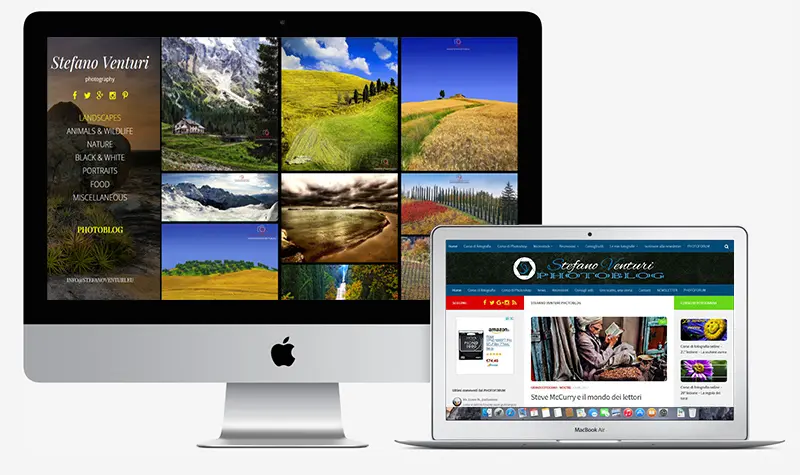
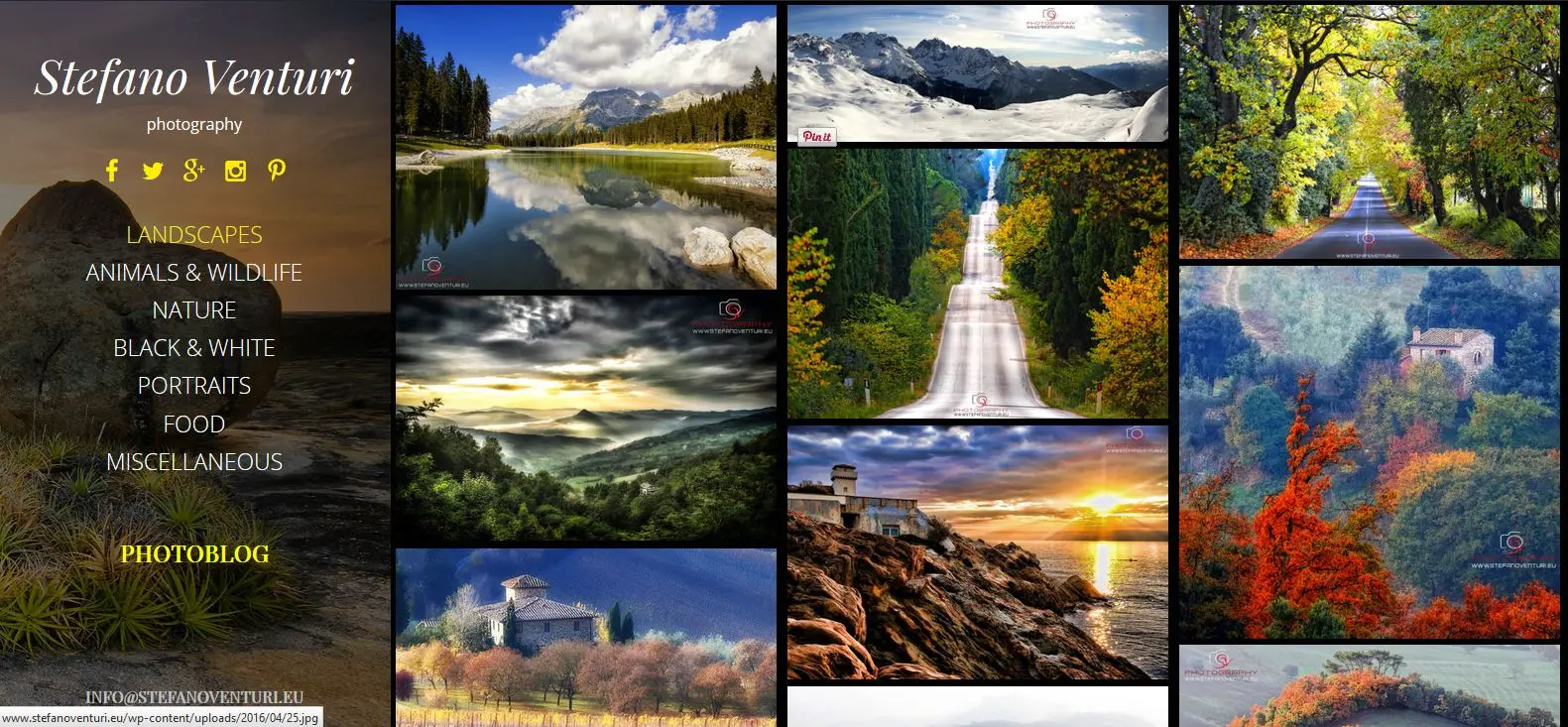
On your professional photography website MUST be your images speaking, not the rest. Choose a design that is minimal without adding too many menus, buttons, or endless texts.
Your images must be at the center of the attention, the user must get directly to the photographs without having to click too much. Do not choose overly bright colors, as they could confuse the viewer's perception when looking at the photos. A white background, or even better black, is perfect.
2 - Quality and NOT quantity
One of the biggest mistakes you can make when organizing a photography website is to put in every possible photo imaginable. Know that there is nothing more wrong. The potential client does not want to see all your photos but only the best ones.
Choose those that for you are the most meaningful but also get advice from a friend or relative. External help can always be very useful. As photographers, we often fall in love with our photos while an outside person can offer you a more objective judgment to help you choose your final portfolio.
Always keep your portfolios updated with the new images you shoot each time but please remember: quality over quantity. If you add a new photograph, try to remove another one... if you can!

3 - Focus on your strengths
Unless you are good at all photographic genres (I hope so but I don't think such prodigies exist around) focus on the type of photography you prefer and include in your new professional photography website only the images related to that genre.
If you are good at portraits, don't feel obliged to put landscape photos on your site. You might risk lowering the overall quality of the website. Focus on your strengths.

4 - Take care of your brand
Make sure your new professional photography website reflects your personality and your style. If you shoot black and white photos, don't choose a site that is too colorful and vice versa.
Your website is an opportunity to build your personal brand, so make sure the logo and appearance are consistent with everything else, from your social media pages to your business cards.

5 - Include an e-commerce store
You certainly won't get rich but by adding a online store, you could at least cover the website maintenance costs. Some photographers sell their photos as prints or framed pictures, others earn from bookings for courses and workshops.
Another option is to sell the download of the high-resolution JPG file; in this case, you won't have to worry about printing or framing, it will all be the responsibility of the end customer.
I don't know if you've noticed, but even on this photoblog there is a online store, every one of my photographs can be downloaded in high resolution without logos or signatures and used for any purpose, except resale.
I repeat, you won't get rich, but you could cover the 40-50 euros/year maintenance cost of your new website.

6 - Register a custom domain
Choose a meaningful name for your new professional photography website. It MUST NOT be too long nor difficult to remember.
It's definitely not easy to find one, especially since billions of domains have already been registered on the web, so it's likely that the domain you want is not available, but don't get discouraged. Providers will help you with this choice, but please remember: a short and easy-to-remember name.

7 - Your contacts always visible
Make your contact information always clearly visible and preferably include them on every page of your new website. Potential clients must be able to find your email or phone number within seconds.
Also include icons for all possible social networks. The more followers and shares you have, the greater your chances of success.

8 - Write a blog
This is not essential but can definitely help. As mentioned in point 1, let your images speak for themselves, but if you can include a small area on your website for a blog, you can certainly showcase your personality more.
Visitors love reading stories in addition to seeing images. Tell them how you took a photograph, how you planned a particular shot, the photographic trips you have made, and much more. Your website will definitely be more interesting.

Have you already created your professional photography website? Do you have other valuable tips to share with other users? Let me know in the comments below and please...share this article please! THANK YOU!!!