 Which is every photographer's worst nightmare? Obviously, it is the thought of a catastrophic loss of one's own photographs.
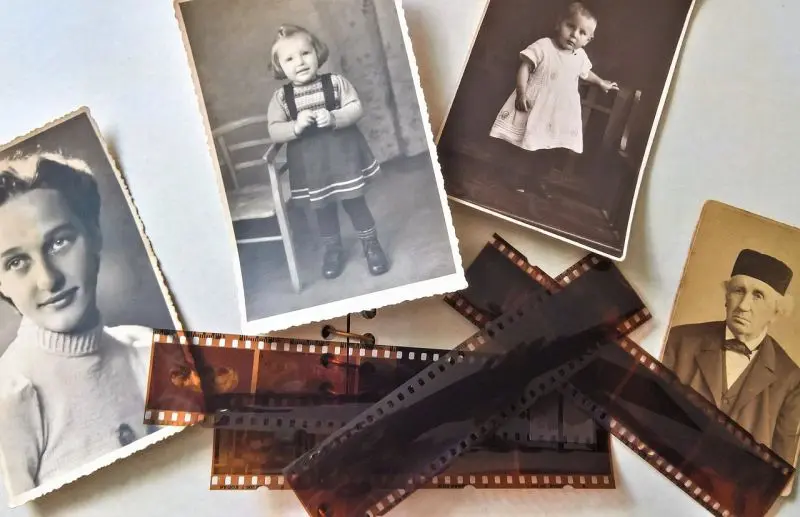
This nightmare has accompanied photographers since the dawn of photography. In the “old” days of film (and even before glass plates) the possible options were quite limited.
There was nothing else to do but keep the negatives and slides in a safe place in special binders in a drawer or cupboard, trying to protect them from humidity and heat. Those who could used fireproof safes or even bank safety deposit boxes.
However, there are quite a few cases where the image collection was damaged for any number of reasons, from accidents to neglect, or lost during a move. The materials themselves, even if properly maintained, could degrade simply over time, especially if they were not of high quality.
These are problems we have all had to face during our lives as analog photographers: the photo from when we were little that we wanted to give to a distant relative was lost.
The arrival of digital technology has certainly made it easier, on one hand, to preserve our images, but it has created new problems that must still be considered so as not to discover, when needed, that our images are unusable.
Even today the nightmare has not been completely erased, also considering that the multiplication of devices with which we take photographs (from smartphones to the most sophisticated cameras) has also multiplied the possibility of losing precious images.
So let's see what steps to take to minimize the risk of losing digital images.
1. Immediately back up your photos
Once the photo session is finished, immediately transfer your images to the computer. In this case delaying is not a good choice!
Every image could be unique and if for any reason you delete it from your memory card, it could be very difficult, if not impossible, to recover it.
Why would you want to erase your memory card? Certainly by mistake, but also because you have run out of available space and still need to photograph something that attracts you.
To avoid risks, if you are unable to perform a backup, always travel with a sufficient number of memory cards of appropriate size.
2. Back up your photos to a spare hard drive
Once you have copied your files to your computer, the next step should be to duplicate your files onto a backup drive. Computer hard drives or SSDs can have large capacity and thus keep all your data safe, but being technological devices they are not immune to failures or accidents (who has never risked spilling a drink on their computer?).
For this reason it is necessary to reduce the risk by using a backup drive. If you have a large number of large files to transfer and manage, you might also use a RAID configuration on your computer (for example, RAID 1 with two hard drives will simultaneously copy data to both devices).
3. Back up your photos to a spare hard drive that you keep outside your home or workplace
If you do not use a cloud system, making a redundant copy of your images is only half the job. In fact, if you keep both copies in the same place, both can be exposed to an accident occurring where you store your devices.
It may seem a bit paranoid, but without invoking catastrophic natural events, just a broken water pipe is enough to compromise everything. So try to keep a copy of your images in a third location (not so close to your primary to be exposed to the same problems, but convenient and accessible enough to perform frequent updates).
4. Use a cloud system
Using a cloud system can be the best solution to securely save your data. There are various types with different monthly subscription costs. You will surely find one suitable for your needs. The only thing is that you will need to use a high-speed connection, otherwise the time lost when uploading or downloading a file can be excessive.

So, why not just use cloud storage and “free” your computer's hard drive from a significant burden? In some cases, you might have to work in conditions where reliable and fast data lines are not available. Also, a possible attack of the type DoS (Denial of Service) could make your data service unavailable for some time (and here we fall into another kind of IT nightmare!).
5. Update your files and backup formats to a modern standard
A risk that is often overlooked is time. If films or prints deteriorate over time, the digital equivalents risk file format / backup system obsolescence.
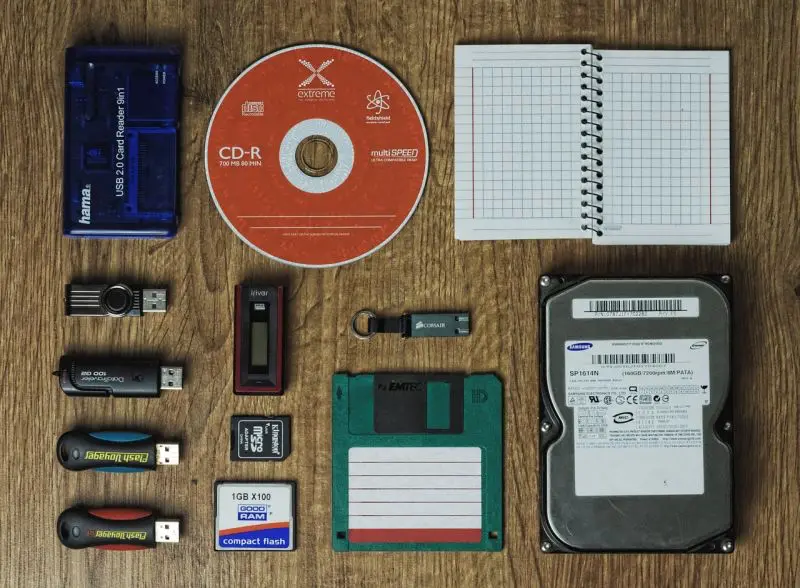
We are not talking about prehistory, but until about twenty years ago floppy disks were the preferred backup format, followed by CDs and DVDs. Now many modern computers do not come with any disk drives by default.
If you do not regularly update your storage devices, these could then become unusable by your computer.
The same applies to communication interfaces (parallel, SCSI, Firewire, USB 1.0 and USB 2.0, USB 3.0, …).
The same file formats are constantly evolving (GIF, JPEG, TIF, PSD, DNG, proprietary RAW formats and who knows what else will come).
As a result of this ever-changing landscape, photographers must keep up with new technological trends and not only be willing but eager to update their archives.
Photography as a hobby certainly has many aspects, and the work does not end once the photo is taken and the image processed. Had you thoughtfully considered these issues as well, or have we created a nightmare you didn’t have?
Backing up photos is a fundamental aspect of a modern workflow. Keeping up with the times is therefore essential!
Have you backed up your photos? Have you solved your photographer’s nightmare?