Photopea is the new online image editor with an appearance similar to the more renowned PhotoShop.
Completely free, it works directly in your web browser (Chrome, Firefox), without needing to download anything to your computer.
If you use Photoshop, you will immediately feel at ease with Photopea: it has all the main tools and even the tab layout will make you feel “at home”.
Photopea supports the main file formats (including JPG, GIF, and PSD!) and layer masks, so it’s not just a “toy,” but something that really allows you to work.
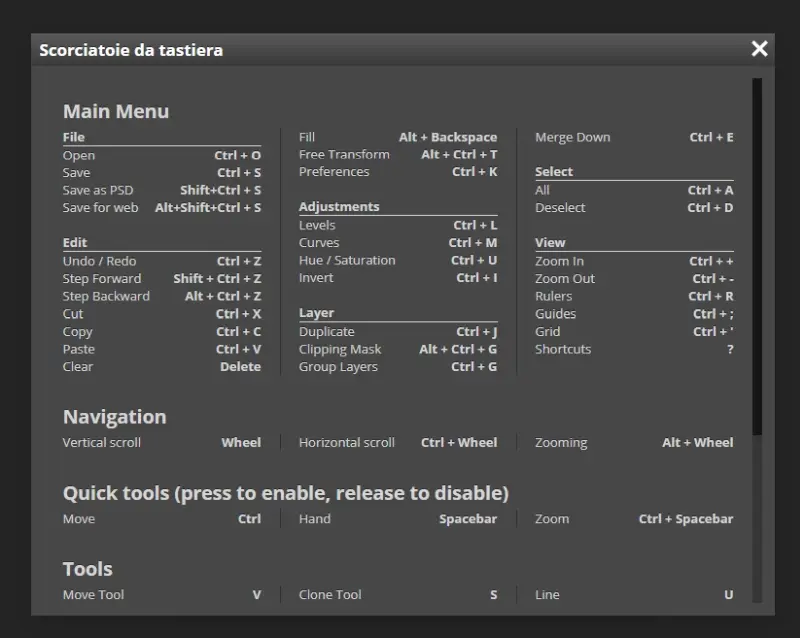
It also includes the most common filters, blending modes between layers, and many other Photoshop features such as keyboard shortcuts.
Here are the disadvantages that emerged at a first quick glance:
- the advanced image processing algorithms present in PS are not available (after all, they are patented);
- although it uses an https protocol, there is little information available regarding security implementations. In certain contexts, uploading sensitive files might not be well accepted;
- uploading large files requires a fast Internet connection.
Here are the advantages:
- it is possible to edit images even if a computer with PS installed is not available. This way, if you need to quickly publish an image, you can edit it right after shooting;
- in some companies, installing unapproved software on company computers is not allowed or installation can only be done by IT managers. With Photopea this is no longer a problem, as nothing is downloaded onto the computer.
To try Photopea, click here.
To be more efficient in image editing, click here