If you are the kind of photographer who doesn't want to do without your smartphones to take photographs and doesn't want to carry the excessive weight of a DSLR, Miggo, a startup that produces accessories for DSLR cameras, has created the accessory for you: the PICTAR.
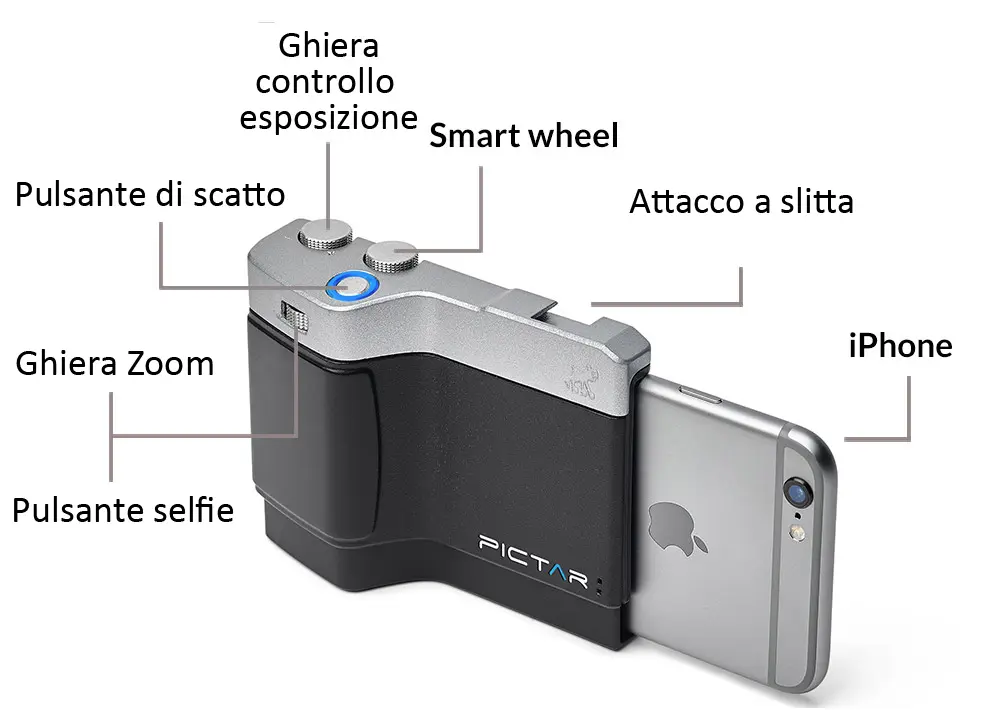
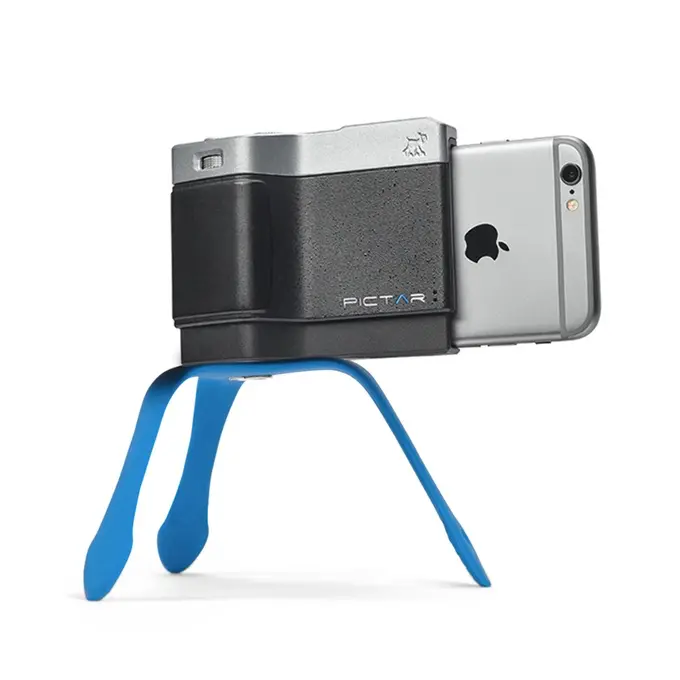
Pictar is an accessory that cannot work on its own but must necessarily be used in conjunction with the main device, that is, with the smartphone and in this case the iPhone. It has compact size and weight, and its shape resembles the grip of a real DSLR camera.
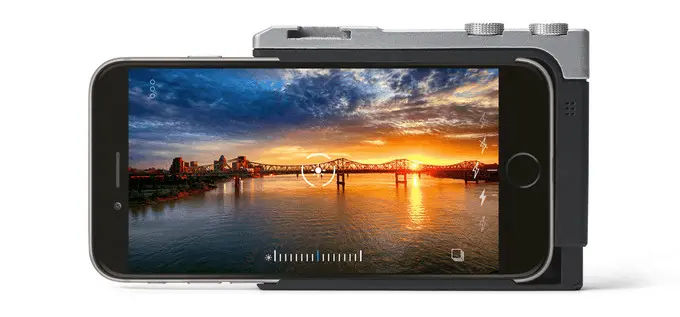
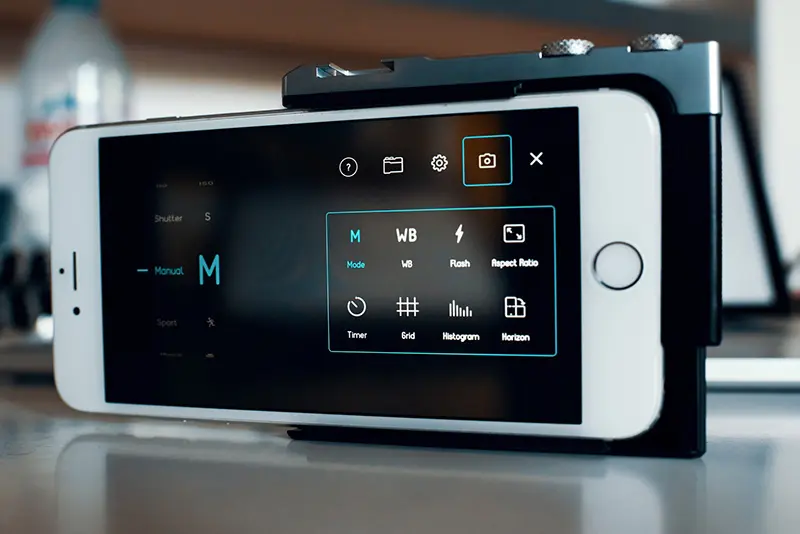
As you can see from the photos in this article, PICTAR it fits perfectly onto your iPhone via a slide and allows you to have real buttons at your fingertips just like on a camera.
Pictar allows you to regain the comfort of DSLR controls through dials and buttons, placed exactly where we are used to finding them. It also allows managing functions and adjustments that are difficult to use with the native iPhone app for taking photos.
Main features of Pictar:
– use of standard DSLR controls: unlike the iPhone, which uses the touchscreen, Pictar allows you to speed up and refine the shot through the use of buttons and dials like on traditional cameras;
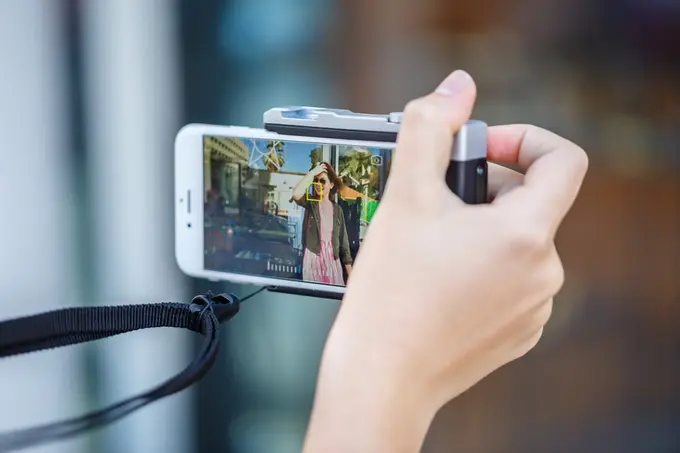
– Ergonomic grip for one-handed shooting: being slim, the iPhone does not guarantee a secure grip and image stability. Pictar, thanks to its ergonomic design, offers a secure hold allowing you to shoot safely with one hand.
– Revolutionary connection between devices: unlike other existing systems, Pictar communicates with the iPhone via a dedicated app which uses a high-frequency sound connection. Each physical control is assigned a specific tone inaudible to the ear. This allows for longer battery life (estimated around 6/8 months) compared to devices that use Bluetooth connectivity.
– Compatibility with iPhone 6 Plus, 7 Plus, 8 Plus, and X (thanks to the intelligent design, it will most likely also be compatible with future models);
– External control over the main functions of the iPhone camera: zoom via dial; switch to selfie shot with a single press of the dial; exposure control and many other features.
– A Smart Wheel allows selection of 10 preset modes (7 basic and 3 advanced);
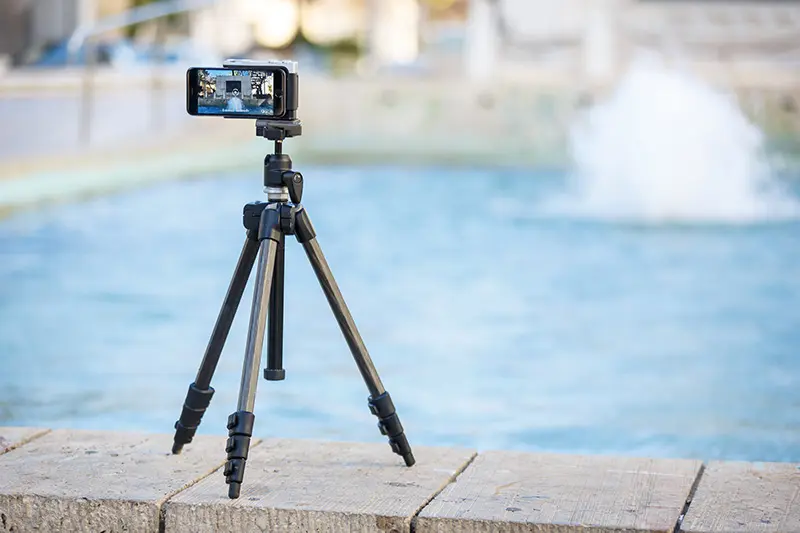
– allows the use of accessories, such as tripod, lights with a hot shoe mount, via specific clamps (like those found on real cameras) - it is also compatible with clip-on lenses.
How Pictar works:
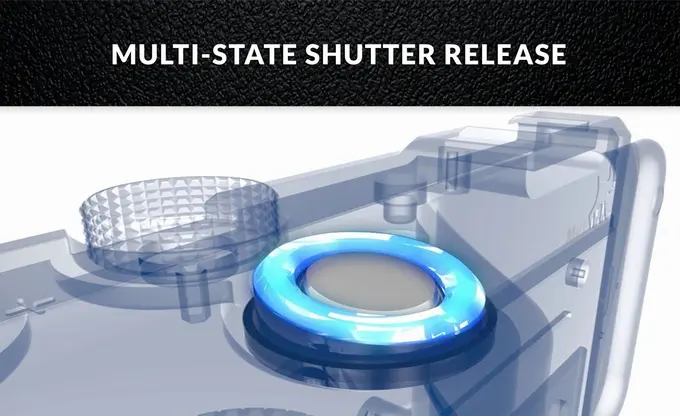
Electronically calibrated to provide maximum sensitivity, just like a digital SLR. The Pictar shutter button offers a “half-press” mode to focus and correctly expose a moving subject or to achieve the desired composition, as well as an immediate shot mode by fully pressing the button.
The button is exactly where you expect it, under your index finger for an intuitive and precise one-handed shot!
Tip: if you shoot in a cold environment or while doing extreme sports, you'll be happy to know you can press the button even while wearing gloves!
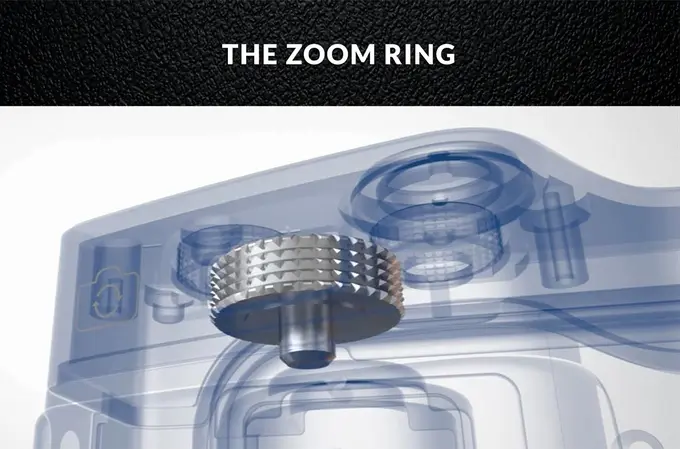
Right below the shutter button, the zoom dial eliminates the need to pinch or spread your fingers on the screen to zoom in or out, making it easier to find the right zoom point with one hand.
The dial can be reprogrammed by the user for specific needs, such as flash mode, white balance, etc. – in this case, to zoom you will return to touching the screen with two fingers, as before.
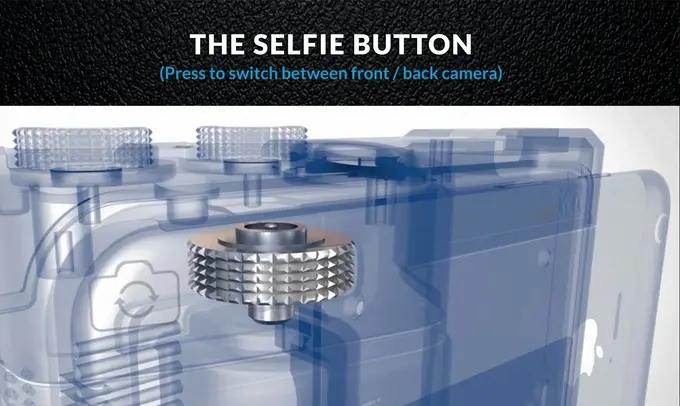
Pressing the zoom wheel switches from the iPhone's rear camera to the front camera to easily take perfect selfies! Like the rotation of the zoom wheel, pressing the wheel can also be reprogrammed to meet specific needs and control different settings.
Tip: Want to take a selfie? With just one hand? You can use the zoom wheel to find the perfect composition and capture images you'll be proud to share.
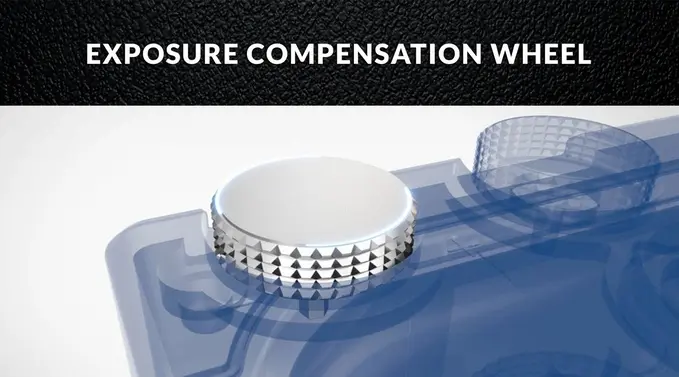
Strategically located in the right corner, there is the exposure compensation dial, which allows the user to easily and intuitively control the brightness level before shooting.
Just like with an advanced camera, the compensation dial adjusts exposure in 1/3 stop increments, and the adjustment indication appears at the bottom of the iPhone screen.
Tip: In manual mode, the compensation dial changes function and allows control of ISO values.
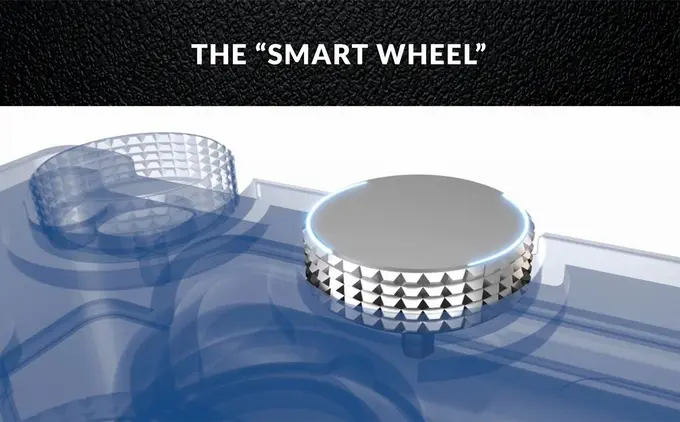
Professional beginners They will love the ease of control – in default mode the Smart Wheel controls 7 preset modes, allowing users to adapt the iPhone to any situation while focusing to shoot. The preset modes are:
- Automatic mode
- Sports mode
- Macro mode
- Selfie mode
- Filters mode
- Video Modes
\t
\t
\t
\t
\t
\t
Professional more experienced photographers will feel at home: the Smart Wheel also allows choosing among 3 advanced modes:
- Shutter priority
- ISO priority
- Manual (manual iPhone = shutter speed + ISO adjustment).
\t
\t
\t

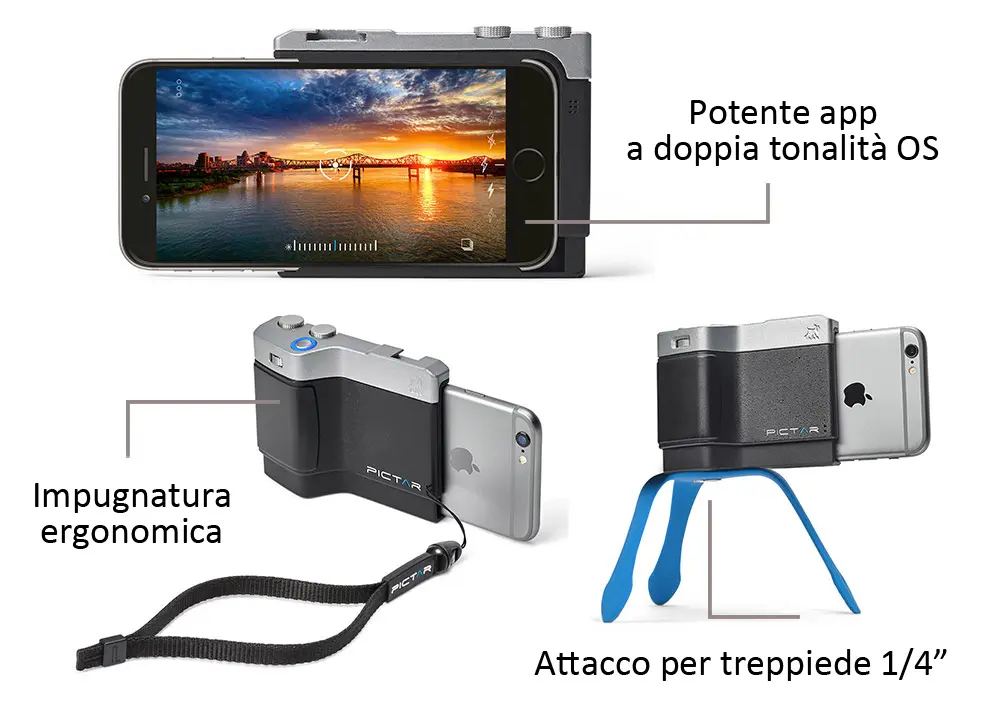
The iPhone is a design icon, but it certainly doesn’t come close to the comfort, the secure grip, the ergonomics of a traditional camera. So, after developing advanced controls, the next step was to create an ergonomic grip that could be comfortably held in one hand, allowing easy shooting with one hand, for example from the window of a Jeep.
The Pictar grip is coated with a non-slip and gives you something solid to hold, while remaining compact enough to keep a feature we love in smartphones, that is accessibility and ease of transport.
Pictar lets you shoot with one hand, anywhere, without dropping it. It allows you to get sharp images thanks to the firm grip. We also think it has a beautiful look, with that slightly retro design inspired by the classic cameras we love. Your iPhone will love it.
The revolution of smartphones with cameras allows anyone to go outdoors – jungle or city – armed only with an iPhone.
Sometimes here you lack a trusted ally, a tripod. There are many ways to improvise, but you won't always find a tree or a flat rock to safely rest your iPhone on, so you might really need a tripod.
That's why it was important to incorporate a standard 1/4” mount in Pictar, just like real cameras have!
A powerful dedicated APP with patented sound control
Pictar is designed to communicate with the iPhone through a dedicated app that unlocks key features inaccessible to the native app for iPhone users. Each physical control you find on Pictar drives a specific function or adjustment and does so using high-frequency dual-tone sounds.
Each physical control is assigned a specific sound, and with every rotation of a dial, Pictar emits a sound that – when recognized by the app – generates a corresponding action. The high-frequency (18,500 – 20,000 kHz) dual-tone sounds are not perceived by the human ear and significantly increase battery life compared to Bluetooth connectivity.
If you don't want to give up your iPhone but don't want the excessive weight of a DSLR, Pictar is the accessory for you. You can find it for less than 100 euros directly on Amazon.